Your clients see your company, not your software vendor
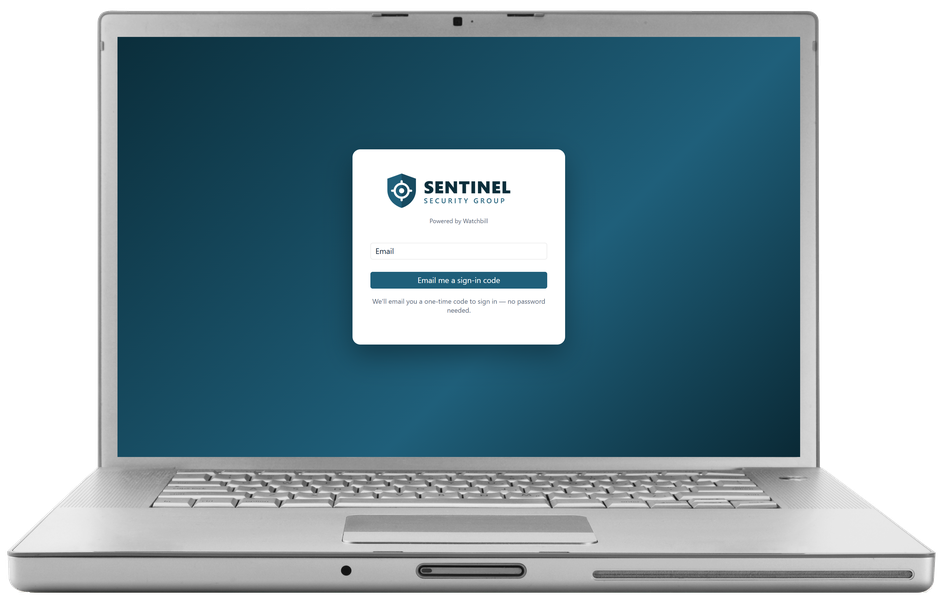
The property manager who opens your portal, the sign-in page your supervisors use, the digest that lands in a client's inbox every morning — all of it can carry your name, your logo and your colors. Watchbill stays in the small print. It's included in the price.
Free 30-day trial with no card required. $7/guard per month, everything included.
What your clients and staff see
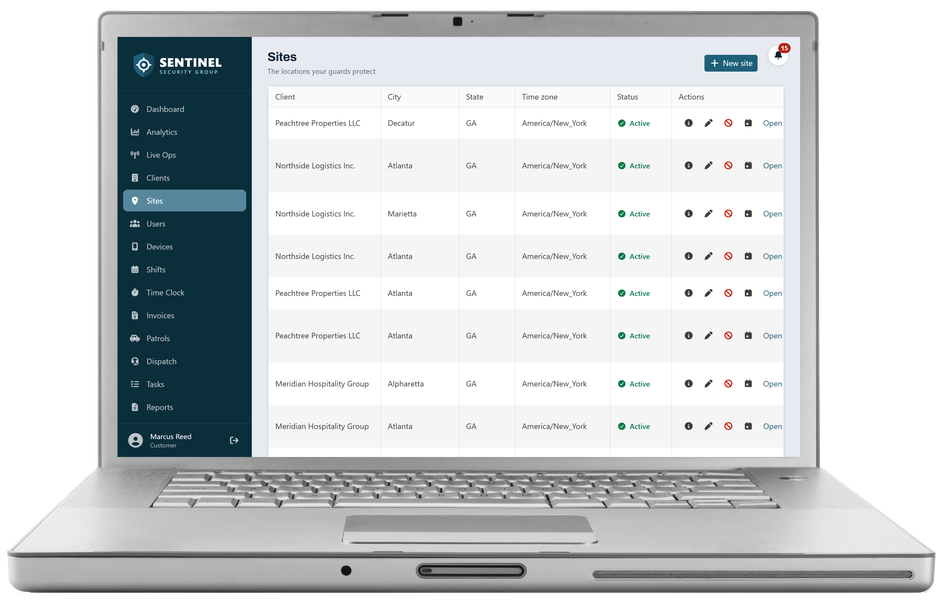
Your logo at the top of the menu, your color on every button and link, your company name in the browser tab. The client portal, the office app and the supervisor views all follow. Emails to clients — daily digests, incident notices, invoices, compiled reports — arrive from “Your Company via Watchbill” with your logo at the top and replies going to your office. Invoice, report, compiled-DAR and site-day-log PDFs carry your logo above the header.
- A sign-in page at yourcompany.getwatchbill.com that shows your branding before anyone signs in
- Only your company's users can sign in at your address — someone else's staff is sent to the main site
- Staff emails too: the sign-in code and the invitation a new guard receives carry your name
Set up in ten minutes, no designer needed
Upload a logo, pick one color and choose your address. Watchbill works out the rest — a matching menu background, readable menu text, hover and selected states — and shows you a live preview of the menu, the sign-in card and an email header before you save. Every combination is checked for readability: a low-contrast pair gets a warning, an unreadable one can't be saved. If you'd rather set the menu colors yourself, there's an Advanced switch, and a one-click way back to the automatic ones.
- Two logo slots: one for the dark menu, an optional second for white backgrounds (emails, PDFs, the sign-in card)
- Address availability is checked as you type; reserved words and other companies' brand names are refused
- Turn it off any time — every setting is kept, and your address stays reserved for you
What stays Watchbill
A small “Powered by Watchbill” line on the sign-in page and in email footers, emails about your own subscription, and — for now — the Field and Command apps on your guards' phones. Everything a client or a prospect sees is yours.
Why it matters
A client portal is the strongest renewal tool a guard company has, and it works harder when the client sees your company on it. A prospect shown a portal and a sign-in address with your name on them sees a firm with its own systems, not one renting a vendor's. And a report PDF with your logo on it reads like your work — because it is.
Questions owners ask
What does branding cost?
Nothing. It is part of every subscription; there is no white-label tier.
Can I use my own domain, like portal.mycompany.com?
Not yet. Today you choose a name under getwatchbill.com — yourcompany.getwatchbill.com. Custom domains are on the roadmap.
Do my guards and supervisors use the branded address too?
Yes. Anyone in your company can sign in at your address or at app.getwatchbill.com; signed in, they always see your branding. Users from another company cannot sign in at your address.
Does it change the mobile apps?
Not yet. The Field and Command apps keep the Watchbill look; a logo in the app header is planned.
What if I turn it off?
Everything goes back to the Watchbill look immediately. Your logo, colors and address are kept, so turning it back on is one switch.
Put your name on it this week
Free 30-day trial with no card required. Start with one site and add the rest when you're ready.
Start free trial Request a demo